Pokémon Pokopia Halloween event adds Pumpkaboo and Gourgeist to Nintendo Switch 2
Pokémon Pokopia is staging a timed Halloween celebration on Nintendo Switch 2 beginning October 17 and running through November 1.
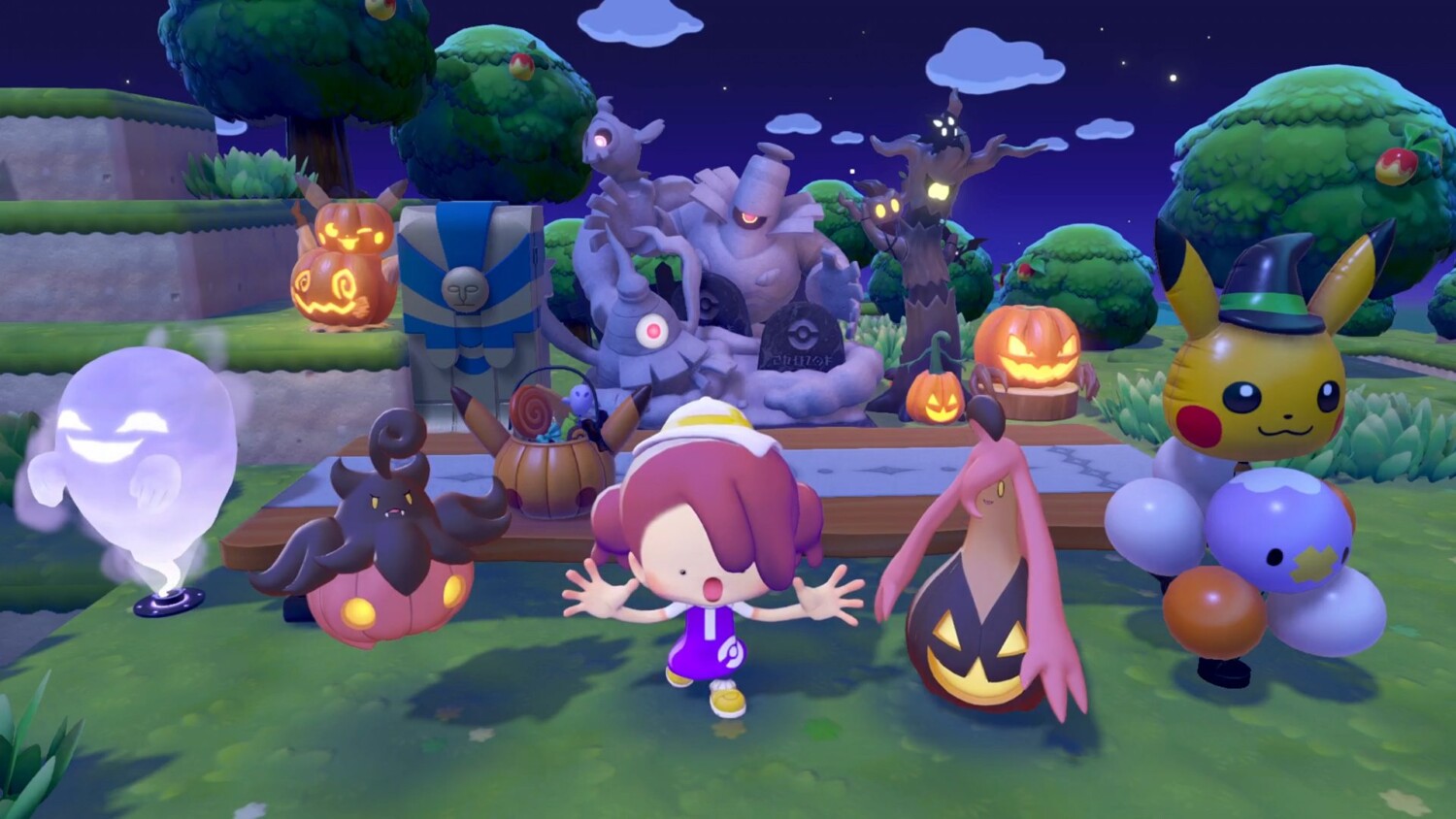
The seasonal update introduces Pumpkaboo and Gourgeist to players' towns and centers on a Pumpkin Candy collection activity that lets players unlock themed furniture and befriend Pumpkaboo.
The developer-supplied event requires the game to be updated to version 2.0.1 to participate.
Event overview and schedule
The Halloween event runs from October 17 (Saturday) at 5:00 until November 1 (Sunday) at 4:59.
Players must install patch 2.0.1 to access event content.
According to the official event notice, Pumpkaboo will appear near the Pokémon Center, and players can interact with the pumpkin Pokémon to trigger the new content.
How the event works
- Meet Pumpkaboo: Players can find Pumpkaboo near the Pokémon Center and complete a short interaction to begin the event sequence and become friends with the creature.
- Collect Pumpkin Candy: During the event, players are instructed to transform into furniture and other items that attract nearby Pokémon.
Surprising Pokémon in this way awards Pumpkin Candy, the event currency.
- Exchange for themed items: Pumpkin Candy can be exchanged at the Pokémon Center for special furniture and decorations inspired by a midnight festival theme.
- Create a habitat and befriend Pumpkaboo: Using exchanged items to construct a dedicated habitat for Pumpkaboo increases the chance to befriend the Pokémon and integrate it into players' towns.
Rewritten summary of the announcement
The event announcement invited players to take part in a midnight festival, collect Pumpkin Candy by tricking Pokémon through transformation, exchange the candy for festival-themed furniture at the Pokémon Center, and use those items to create a habitat that will allow them to befriend Pumpkaboo.
Platform notes and update information
Pokémon Pokopia is available on Nintendo Switch 2.
The Halloween event is delivered via the version 2.0.1 update; players should confirm their game is up to date through the Switch system menu or the eShop.
Patch notes for the most recent update are available from official channels for players who want full technical details.
Pokémon Pokopia is staging a timed Halloween celebration on Nintendo Switch 2 beginning October 17 and running through November 1.
The seasonal update introduces Pumpkaboo and Gourgeist to players' towns and centers on a Pumpkin Candy collection activity that lets players unlock themed furniture and befriend Pumpkaboo.
The developer-supplied event requires the game to be updated to version 2.0.1 to participate.
Event overview and schedule
The Halloween event runs from October 17 (Saturday) at 5:00 until November 1 (Sunday) at 4:59.
Players must install patch 2.0.1 to access event content.
According to the official event notice, Pumpkaboo will appear near the Pokémon Center, and players can interact with the pumpkin Pokémon to trigger the new content.
How the event works
- Meet Pumpkaboo: Players can find Pumpkaboo near the Pokémon Center and complete a short interaction to begin the event sequence and become friends with the creature.
- Collect Pumpkin Candy: During the event, players are instructed to transform into furniture and other items that attract nearby Pokémon.
Surprising Pokémon in this way awards Pumpkin Candy, the event currency.
- Exchange for themed items: Pumpkin Candy can be exchanged at the Pokémon Center for special furniture and decorations inspired by a midnight festival theme.
- Create a habitat and befriend Pumpkaboo: Using exchanged items to construct a dedicated habitat for Pumpkaboo increases the chance to befriend the Pokémon and integrate it into players' towns.
Rewritten summary of the announcement
The event announcement invited players to take part in a midnight festival, collect Pumpkin Candy by tricking Pokémon through transformation, exchange the candy for festival-themed furniture at the Pokémon Center, and use those items to create a habitat that will allow them to befriend Pumpkaboo.
Platform notes and update information
Pokémon Pokopia is available on Nintendo Switch 2.
The Halloween event is delivered via the version 2.0.1 update; players should confirm their game is up to date through the Switch system menu or the eShop.
Patch notes for the most recent update are available from official channels for players who want full technical details.