


Introduction
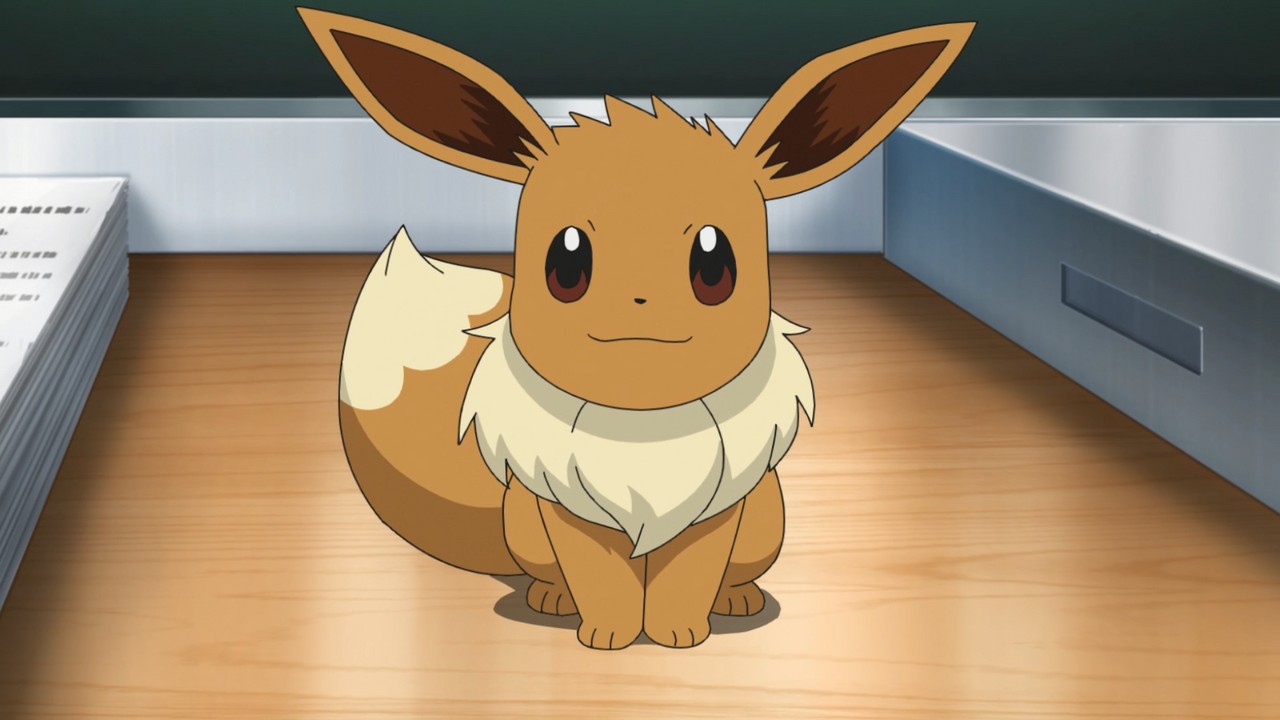
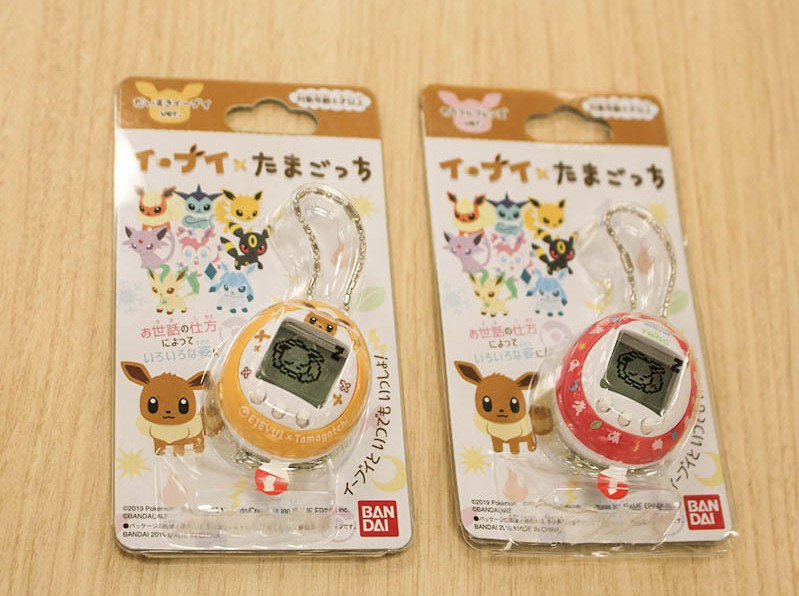
The Eevee X Tamagotchi is a physical, pocket-sized virtual pet produced by Bandai in collaboration with The Pokémon Company, featuring the popular Pokémon Eevee.
Designed as a standalone collectible device rather than a console title, the unit uses a three-button interface and LR44 button-cell batteries.
This guide distills the device's core controls, first-time setup, and primary gameplay features for owners and collectors.
Organization and purpose
The information below is organized to cover device controls, initial setup steps and the Tamagotchi’s gameplay features, presented in clear, journalistic language for quick reference.
Controls and hardware
The Eevee X Tamagotchi uses three face buttons labeled A, B and C (A is left, B is center, C is right) and a recessed reset button on the rear.
Menu navigation follows a consistent mapping: A is for selection/movement, B is for confirm/enter, and C is for cancel/exit.
The reset pinhole requires a sharp object such as a pen to press; users typically only need it after changing batteries.
First steps: unboxing and time setup
Remove the pull tab from the unit to power it on.
The device cannot be turned off via a software option; the only method to remove power is by taking out the two LR44 batteries, which typically last a couple of months depending on use.
On first boot you are prompted to set the clock: hold A to advance the hour, press B to move to minutes, and use A to set minutes.
Press C to revert a change; once set, press B to confirm.
After the time is set, an egg appears and hatches into Eevee after roughly 20 seconds.
Gameplay: feeding, games and daily routines
On the default screen Eevee moves and sleeps according to in-game time.
Eevee is awake between 7:00 and 20:00 (game time).
When awake:
- A opens the food and games menu
- B opens the clock (time can be adjusted via a secondary button sequence)
- C shows Eevee’s emotional state
- Pressing C and A together toggles music on/off
When asleep A toggles a light option and B still opens the clock.
Food menu includes Meal (ごはん) and Snack (おやつ).
The Play menu includes Kinomi Get (きのみゲット), a falling-objects collection minigame, and Dance (ダンス), a timed button-press rhythm challenge.
Kinomi Get uses A to move left and B to move right; C exits the game.
Dance presents one or two characters that must be matched with A or B presses to score.
Grooming, emotion and caretaking mechanics
Eevee will shed fur periodically; fur appears on the default screen and is cleared via the A button when Eevee is awake.
Pressing C on the default screen reports Eevee’s mood (happy, normal, sad).
If neglected for extended periods, the device implements a fail state in which Eevee returns to the Poké Ball and the pet must be re-hatched by pressing B.
Community tip
A community-contributed tip credited to a user named Jack notes that repeated shedding (visible as fur balls) and extended neglect can precede the device’s fail state; pressing B will hatch a new egg to restart.
Conclusion
The Eevee X Tamagotchi is a compact, hardware-based virtual pet that emphasizes simple controls and short play loops.
While fans often follow Pokémon news through channels like Nintendo Direct and eShop listings for digital releases, this device remains a tangible collectible in Bandai’s Tamagotchi line rather than a Nintendo Switch title.
The Eevee X Tamagotchi is a physical, pocket-sized virtual pet produced by Bandai in collaboration with The Pokémon Company, featuring the popular Pokémon Eevee.
Designed as a standalone collectible device rather than a console title, the unit uses a three-button interface and LR44 button-cell batteries.
This guide distills the device's core controls, first-time setup, and primary gameplay features for owners and collectors.
Organization and purpose
The information below is organized to cover device controls, initial setup steps and the Tamagotchi’s gameplay features, presented in clear, journalistic language for quick reference.
Controls and hardware
The Eevee X Tamagotchi uses three face buttons labeled A, B and C (A is left, B is center, C is right) and a recessed reset button on the rear.
Menu navigation follows a consistent mapping: A is for selection/movement, B is for confirm/enter, and C is for cancel/exit.
The reset pinhole requires a sharp object such as a pen to press; users typically only need it after changing batteries.
First steps: unboxing and time setup
Remove the pull tab from the unit to power it on.
The device cannot be turned off via a software option; the only method to remove power is by taking out the two LR44 batteries, which typically last a couple of months depending on use.
On first boot you are prompted to set the clock: hold A to advance the hour, press B to move to minutes, and use A to set minutes.
Press C to revert a change; once set, press B to confirm.
After the time is set, an egg appears and hatches into Eevee after roughly 20 seconds.
Gameplay: feeding, games and daily routines
On the default screen Eevee moves and sleeps according to in-game time.
Eevee is awake between 7:00 and 20:00 (game time).
When awake:
- A opens the food and games menu
- B opens the clock (time can be adjusted via a secondary button sequence)
- C shows Eevee’s emotional state
- Pressing C and A together toggles music on/off
When asleep A toggles a light option and B still opens the clock.
Food menu includes Meal (ごはん) and Snack (おやつ).
The Play menu includes Kinomi Get (きのみゲット), a falling-objects collection minigame, and Dance (ダンス), a timed button-press rhythm challenge.
Kinomi Get uses A to move left and B to move right; C exits the game.
Dance presents one or two characters that must be matched with A or B presses to score.
Grooming, emotion and caretaking mechanics
Eevee will shed fur periodically; fur appears on the default screen and is cleared via the A button when Eevee is awake.
Pressing C on the default screen reports Eevee’s mood (happy, normal, sad).
If neglected for extended periods, the device implements a fail state in which Eevee returns to the Poké Ball and the pet must be re-hatched by pressing B.
Community tip
A community-contributed tip credited to a user named Jack notes that repeated shedding (visible as fur balls) and extended neglect can precede the device’s fail state; pressing B will hatch a new egg to restart.
Conclusion
The Eevee X Tamagotchi is a compact, hardware-based virtual pet that emphasizes simple controls and short play loops.
While fans often follow Pokémon news through channels like Nintendo Direct and eShop listings for digital releases, this device remains a tangible collectible in Bandai’s Tamagotchi line rather than a Nintendo Switch title.