EmuLnk Brings Nintendo DS-Style Dual-Screen Functionality to Popular Emulator Platforms
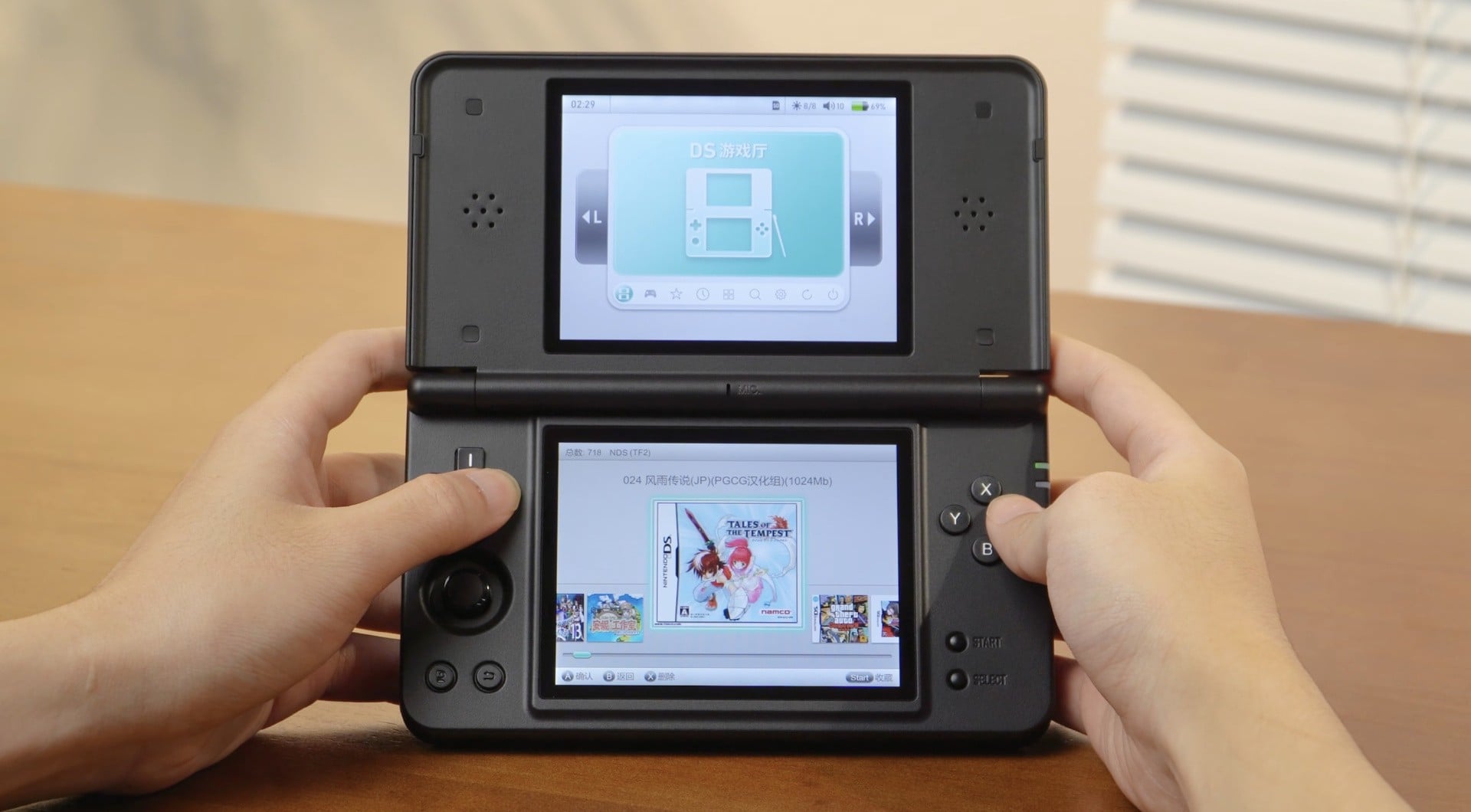
The Nintendo DS, launched in 2004, revolutionized handheld gaming with its innovative dual-screen design.
Initially met with skepticism and lighthearted memes depicting outlandishly oversized devices, Nintendo's pioneering approach soon became widely celebrated for enhancing gameplay.
Titles across adventure, RPG, and puzzle genres utilized the second screen for dynamic maps, inventory management, and immersive interactions—claims solidified by the DS’s remarkable commercial success, selling over 150 million units globally.
In recent years, the legacy of the dual-screen format has sparked the imagination of emulation hardware manufacturers, with companies like AYANEO, Anbernic, and AYN introducing devices and features inspired by the DS’s distinctive layout.
Now, software developers are stepping up to expand these possibilities for the broader emulator community.
Introducing EmuLnk: The Live Second Screen System for Emulators
EmuLnk is a newly unveiled solution that brings a "Nintendo DS-style experience" to a variety of popular emulators.
First highlighted by @Techjunkie_Ama, EmuLnk is described as “a live second screen system for emulators.” This innovative tool is compatible with a wide spectrum of emulation software, including RetroArch, Dolphin, PPSSPP, melonDS, and Azahar, effectively enabling users to replicate the multi-screen utility previously reserved for bespoke hardware.
According to the official project documentation on GitHub, EmuLnk connects to emulators through a User Datagram Protocol (UDP) interface.
It reads the game’s memory in real time and renders information via themed HTML pages—a highly flexible format for the modern emulation enthusiast.
Three operating modes are supported: full-screen dashboards displayed on a secondary monitor, floating overlay widgets layered directly on top of the game, or a bundled configuration combining both.
Each theme is driven by live data pulled from customizable JSON profiles.
Advanced features allow themes to write data back into the game’s memory, execute macros, play custom sounds, and even trigger haptic feedback, vastly expanding the interactivity and immersion possible through emulator setups.
To utilize EmuLnk, supported emulators must be forked to include EmuLnk integrations.
This open-ended compatibility encourages a collaborative approach to implementation, allowing the community and developers alike to fine-tune support for their favorite games and emulation platforms.
Industry Context and Future Implications
The introduction of EmuLnk marks a significant milestone in the evolution of emulator technology.
By delivering a versatile and developer-friendly approach to dual-screen gameplay—previously a hallmark of the Nintendo DS—EmuLnk empowers both end-users and content creators to recapture the unique advantages of multi-display setups.
As more emulator developers and enthusiasts adopt this tool, we may witness a new era of gameplay innovation rooted in the iconic dual-screen legacy.
For more information or to download EmuLnk, interested parties can visit the project page on GitHub.
As the emulation community continues to push the boundaries of retro and modern gaming convenience, tools like EmuLnk promise to redefine the standards for homebrew and preservation enthusiasts worldwide.
The Nintendo DS, launched in 2004, revolutionized handheld gaming with its innovative dual-screen design.
Initially met with skepticism and lighthearted memes depicting outlandishly oversized devices, Nintendo's pioneering approach soon became widely celebrated for enhancing gameplay.
Titles across adventure, RPG, and puzzle genres utilized the second screen for dynamic maps, inventory management, and immersive interactions—claims solidified by the DS’s remarkable commercial success, selling over 150 million units globally.
In recent years, the legacy of the dual-screen format has sparked the imagination of emulation hardware manufacturers, with companies like AYANEO, Anbernic, and AYN introducing devices and features inspired by the DS’s distinctive layout.
Now, software developers are stepping up to expand these possibilities for the broader emulator community.
Introducing EmuLnk: The Live Second Screen System for Emulators
EmuLnk is a newly unveiled solution that brings a "Nintendo DS-style experience" to a variety of popular emulators.
First highlighted by @Techjunkie_Ama, EmuLnk is described as “a live second screen system for emulators.” This innovative tool is compatible with a wide spectrum of emulation software, including RetroArch, Dolphin, PPSSPP, melonDS, and Azahar, effectively enabling users to replicate the multi-screen utility previously reserved for bespoke hardware.
According to the official project documentation on GitHub, EmuLnk connects to emulators through a User Datagram Protocol (UDP) interface.
It reads the game’s memory in real time and renders information via themed HTML pages—a highly flexible format for the modern emulation enthusiast.
Three operating modes are supported: full-screen dashboards displayed on a secondary monitor, floating overlay widgets layered directly on top of the game, or a bundled configuration combining both.
Each theme is driven by live data pulled from customizable JSON profiles.
Advanced features allow themes to write data back into the game’s memory, execute macros, play custom sounds, and even trigger haptic feedback, vastly expanding the interactivity and immersion possible through emulator setups.
To utilize EmuLnk, supported emulators must be forked to include EmuLnk integrations.
This open-ended compatibility encourages a collaborative approach to implementation, allowing the community and developers alike to fine-tune support for their favorite games and emulation platforms.
Industry Context and Future Implications
The introduction of EmuLnk marks a significant milestone in the evolution of emulator technology.
By delivering a versatile and developer-friendly approach to dual-screen gameplay—previously a hallmark of the Nintendo DS—EmuLnk empowers both end-users and content creators to recapture the unique advantages of multi-display setups.
As more emulator developers and enthusiasts adopt this tool, we may witness a new era of gameplay innovation rooted in the iconic dual-screen legacy.
For more information or to download EmuLnk, interested parties can visit the project page on GitHub.
As the emulation community continues to push the boundaries of retro and modern gaming convenience, tools like EmuLnk promise to redefine the standards for homebrew and preservation enthusiasts worldwide.